Adding a Customer to an Order
Adding a customer to an order in the Posterita POS system helps you personalize transactions, track customer preferences, and maintain accurate sales records associated with each customer. Follow these steps to assign a customer to an order.
1. Tap the Customer Icon
- On the main order screen, tap the Customer Icon (typically located at the top right).

- This will open a list of existing customers, allowing you to search for and select a customer associated with the order.
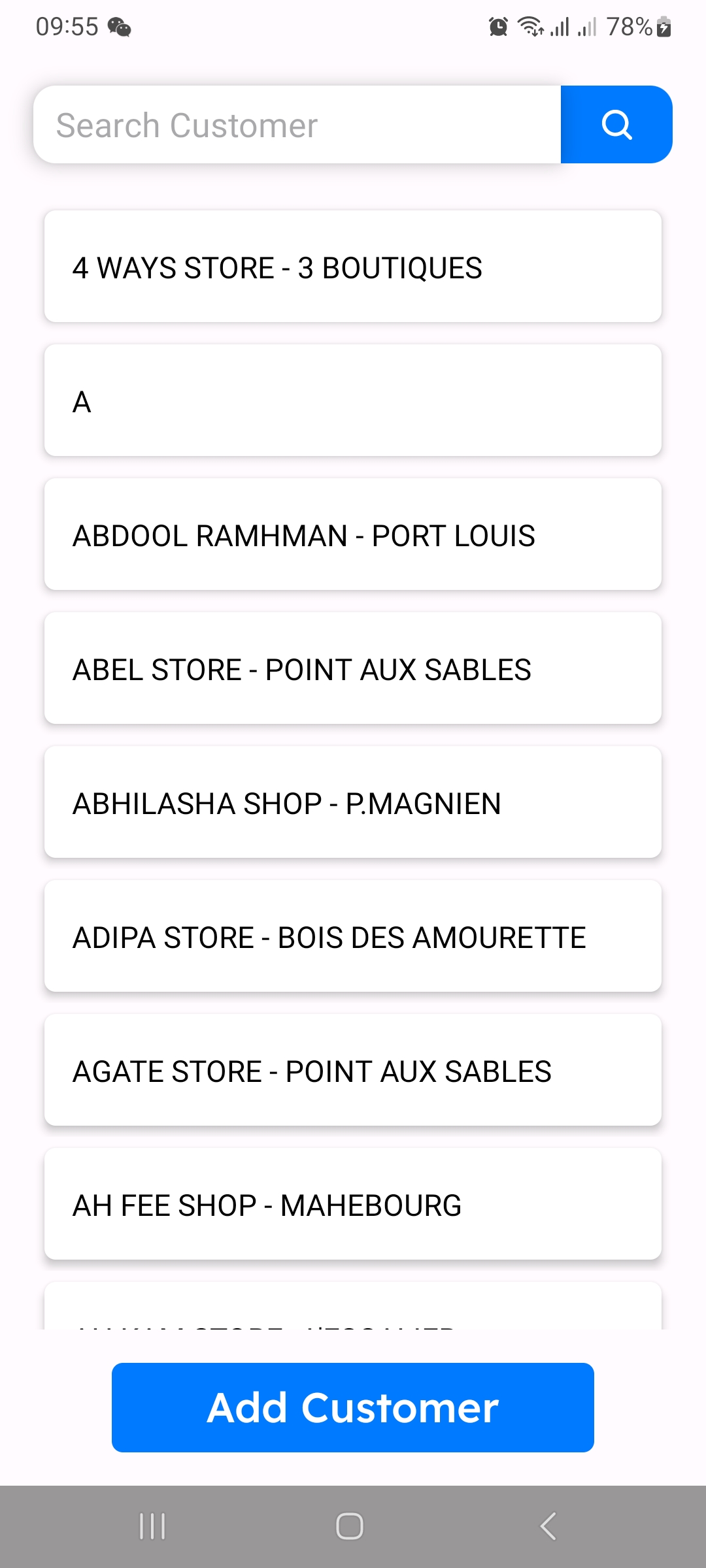
2. Search for an Existing Customer
- Begin typing the customer's name in the search bar to quickly locate them in the list.

- Once the correct customer appears, tap on their name to assign them to the order.
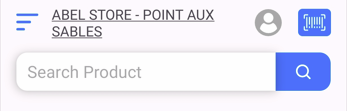
3. Add a New Customer (If Necessary)
- If the customer isn't already in the system, tap on Add Customer at the bottom of the screen.

- Enter the customer's details, such as their Name, Email, Address, and Phone number.
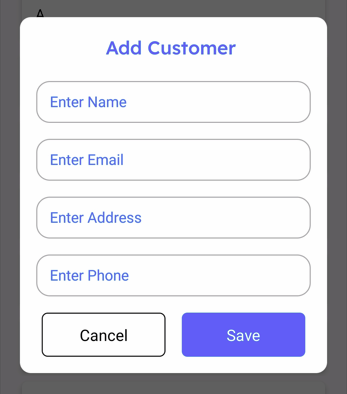
- Tap Save to add the new customer to your records. Once saved, the customer will automatically be assigned to the order.
Why Adding Customers to Orders is Important
Assigning customers to orders allows for better tracking of purchase history, enabling targeted promotions and personalized customer service. It also helps maintain accurate sales records linked to individual customers, aiding in customer relationship management.
Tips
- Use the Search Function: For a quicker selection, type part of the customer's name to filter results.
- Capture Contact Information: When adding a new customer, consider collecting essential contact details to facilitate future interactions.
- Review Customer Assignment: Double-check that the correct customer is linked to the order to prevent record discrepancies.
By following these steps, you can easily assign customers to orders in Posterita POS, enhancing your customer service capabilities and record-keeping accuracy.