Creating a New Account on Posterita POS
Creating your account is the first step to leveraging Posterita POS for your business. It sets the foundation for managing your business operations, from sales to inventory, in one place.
Quick Setup Steps
- Access the Sign-Up Page: Navigate to Posterita Sign-Up
- Fill in the Details: Enter business name, email, and password.
- Create Your Account: Click "Create My Account".
- Confirm Your Account: Check your email for a confirmation link.
Detailed Walkthrough
1. Access the Sign-Up Page
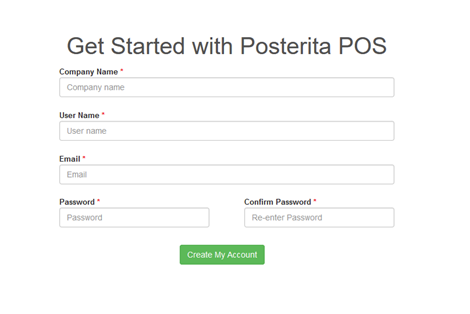
Navigate to the Sign-Up page at the link provided above.
[Screenshot: Sign-up page]
2. Fill in the Required Details
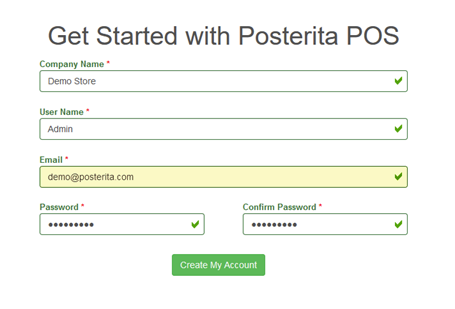
Enter your business name, email, password, and other necessary information.
[Screenshot: Form fields]
3. Create Your Account

Click the "Create My Account" button to complete the registration.
4. Account Confirmation
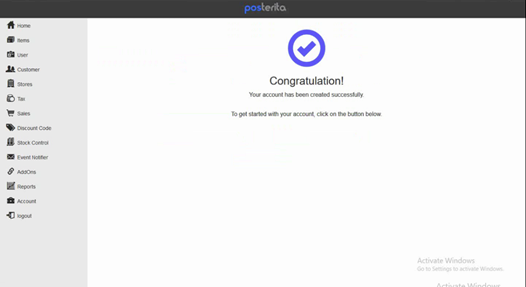
You will receive an email with your account details.
[Screenshot: Confirmation email]
Important Tips
- Ensure Your Password Is Strong: Use a mix of characters, numbers, and symbols for enhanced security.
- Use a Monitored Business Email: Important notifications, such as updates and alerts, are sent here, so make sure it's one you frequently check.