Deleting or Deactivating an Item
Manage your POS items by either deleting or deactivating items that are no longer available for sale. Deactivating an item allows you to retain its information without displaying it in your active POS. Deactivating an item will prevent sales assistants from seeing or selling that item, but it will still be visible in reports. Deleting, on the other hand, means permanently losing all information about that product, including past records. It is not possible to delete a product that has been involved in any transaction, as this would compromise the integrity of the database and transactions. You can only delete a product if no transactions or sales have been associated with it.
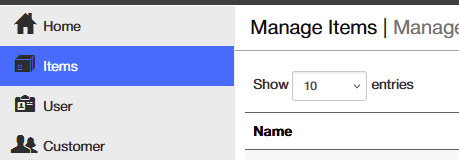
1. Access the Items Menu
- In the Posterita POS Back Office, navigate to the Items Menu.
2. Search the Item to Delete or Deactivate
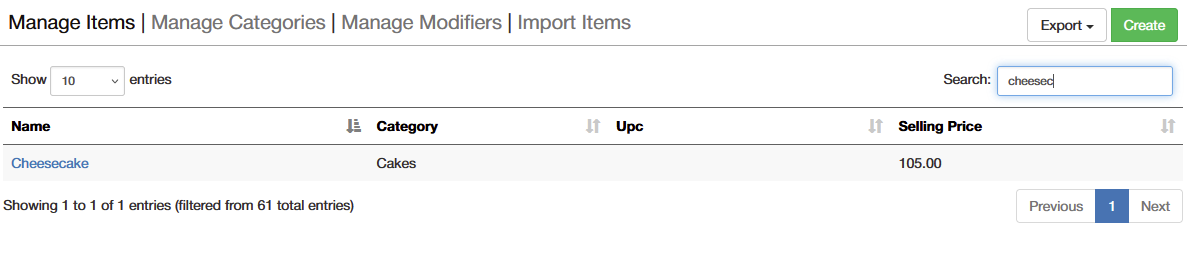
- Find the item you want to remove or deactivate.
- Click on the item name to open its details.
3. Deactivate an Item
- If the item is present in any transaction (sales, purchases, inventory counts, or transfers), it cannot be deleted but can be deactivated for tracking purposes.
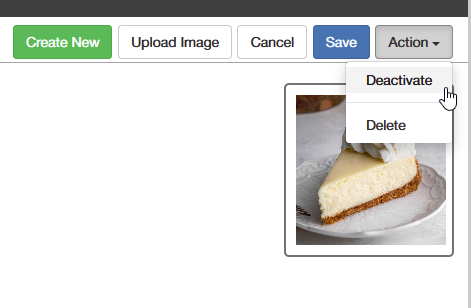
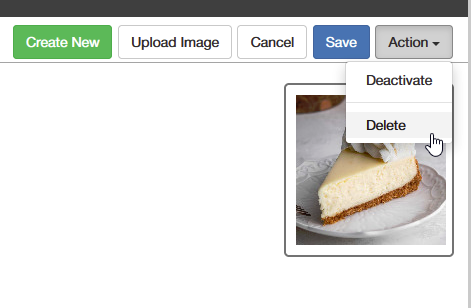
- In the item details, click on the Action button in the top right corner.
- Select Deactivate from the dropdown menu and confirm the action.
4. Delete an Item
- For items not associated with any transactions:
- In the item details, click on the Action button in the top right corner.
- Select Delete from the dropdown menu and confirm the deletion.
Important Tips
- Deactivating vs. Deleting: Deactivating an item is useful when it has been involved in past transactions. This way, you can maintain the item's history while removing it from active POS use. Deactivated items are no longer available for sale or visible to sales assistants, but they will still be included in reports for historical tracking.
- Transaction-Linked Items: Items involved in any transaction (sales, purchases, inventory counts, transfers, or bundled in promotions) cannot be deleted due to their connection to transaction tracking and reporting purposes.
- Permanent Deletion: Deleting an item permanently removes it from your POS, and you will lose all information related to that item. Deletion can only be done if the item has not been involved in any transactions.
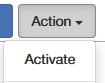
- Reactivating an Item: You can reactivate a deactivated item at any time by selecting the option under the Action button.