Purchase Returns
Purchase returns allow you to return products to your suppliers if there are any issues, such as defective items, overstock, or incorrect deliveries. Properly managing purchase returns helps maintain accurate inventory levels and ensures that you only have high-quality products in your store.
Access the Purchase Returns Menu
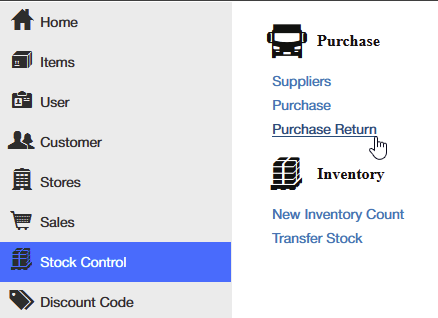
In the Posterita POS Back Office, navigate to the Stock Control menu and select Purchase Returns.
Create a New Purchase Return
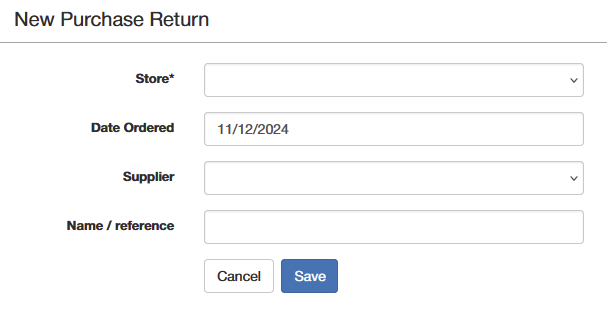
- Click Create to initiate a new purchase return.
- Store: Select the store where the items were initially delivered.
- Supplier: Choose the supplier from your list of existing suppliers.
- Reference: Add a reference name or number for easy tracking of the return.
- Save: After selecting the store, supplier, and reference, click Save to proceed to the item entry stage.
Add Items to the Purchase Return
Option 1: Manually Add Items
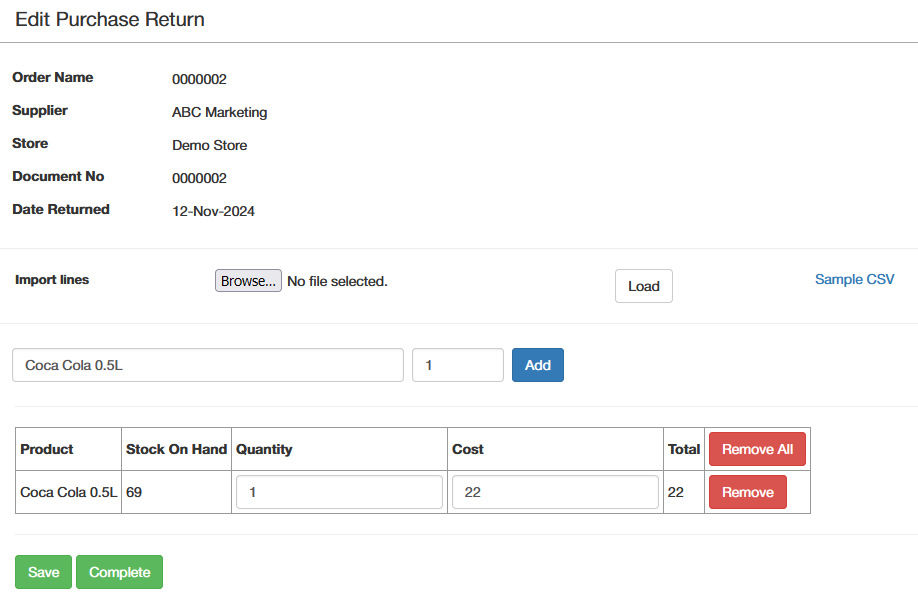
Search for the items you need to return to the supplier and enter the quantities to be returned.
Option 2: Upload Items Using a CSV Template
- Download the Sample CSV template.
- Enter item details in the CSV, including Quantity and Reason for Return for each item.
- Upload the CSV: Return to the purchase return, click Upload CSV, and select your file to upload.
- Review Items to ensure all details are correct before proceeding.
Complete the Purchase Return
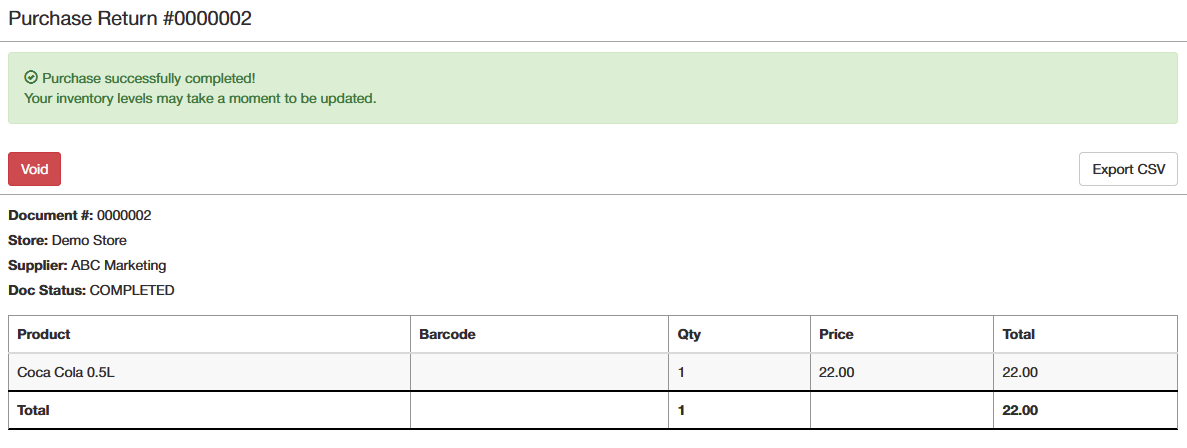
After adding or uploading items and verifying details, click Complete to finalize the purchase return. This step adjusts your inventory levels accordingly.
Voiding a Purchase Return
If you need to void a purchase return, you can do so through the Reports section, which ensures that inventory levels are properly adjusted.
Access Purchase Return Reports
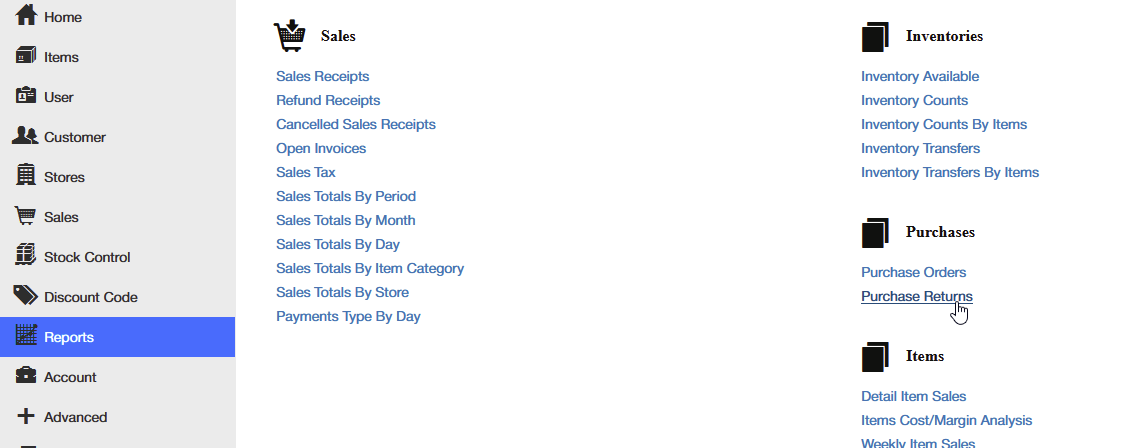
Navigate to Reports > Purchase Returns in the Posterita POS Back Office.
Find the Purchase Return
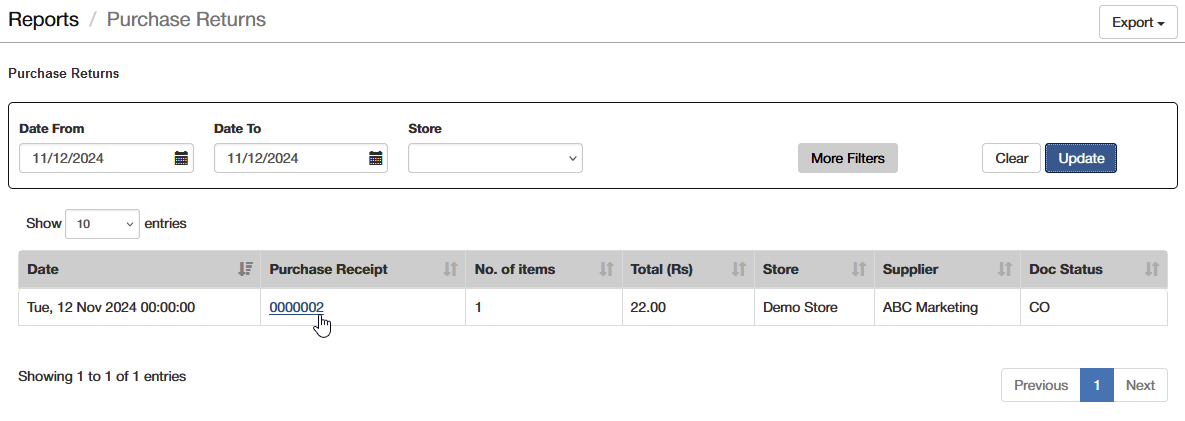
Enter the date range to locate the specific purchase return you need to void and open it from the list.
Void the Purchase Return
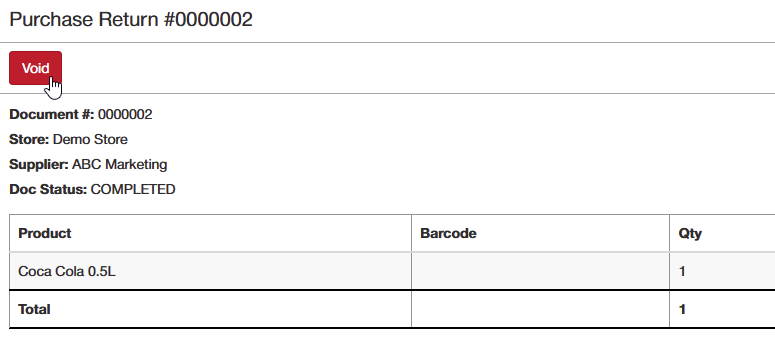
- Click Void to cancel the purchase return.
- Once voided, the returned quantities will be added back to your inventory, ensuring stock levels are accurate.
Why Purchase Returns are Important
Managing purchase returns is essential for maintaining quality control and keeping your inventory accurate. By promptly returning defective or unwanted products to your suppliers, you can reduce waste, recover costs, and ensure that your store is only stocked with the best products. It also helps keep inventory records up to date, so you always know exactly what is available.
Tips
- Provide Clear Reasons: When creating a purchase return, include a reason for returning the items to help both you and your supplier track issues.
- Track Returned Items: Keep a record of returned items to avoid discrepancies in inventory levels.
- Use Reference Numbers: Assign a unique reference number for each purchase return to make follow-ups easier.
- Communicate with Suppliers: Ensure suppliers are aware of the returns and confirm receipt to close the return process smoothly.
- CSV Upload: For larger returns, use the CSV upload feature to save time by adding multiple items at once.
By managing purchase returns efficiently, you can maintain quality inventory and accurate records, benefiting both your store and supplier relationships.