Receiving Payments for Credit Balances
Posterita enables efficient collection of payments for outstanding customer credit balances from credit sales. This feature ensures accurate payment allocation to specific customers, maintaining precise financial records and current account status.
Tips for Receiving Payments
Use the Receive Payment feature in the Back Office to accurately track customer payments and credit balances.
1. View Outstanding Balances
In the customer's profile, you can view the current credit balance, showing how much credit the customer has used and how much remains available.
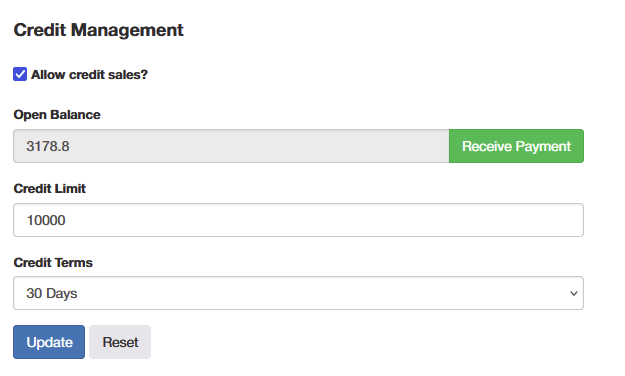
2. Click on Receive Payment
In the customer profile, click the Receive Payment button (this feature is only available in the Back Office).
A list of the customer's outstanding transactions will be displayed.
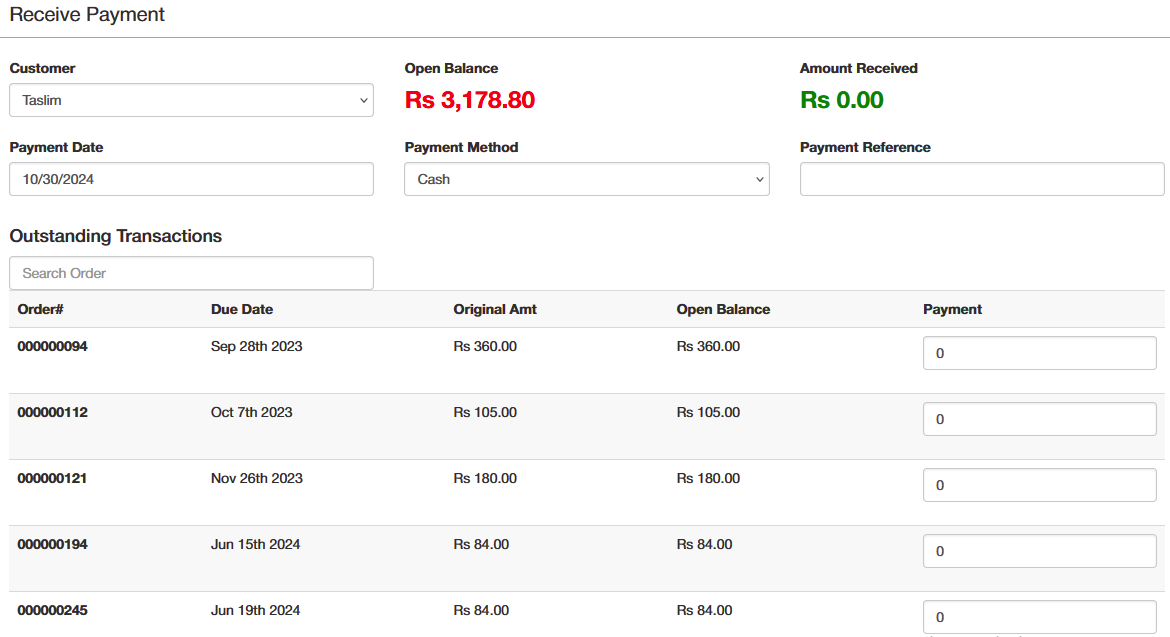
3. Record Payments for Each Transaction
For each outstanding transaction, input the payment amount received.
Once the transaction is fully paid, it will no longer appear in the outstanding transaction list, and the customer's open balance will be updated accordingly.
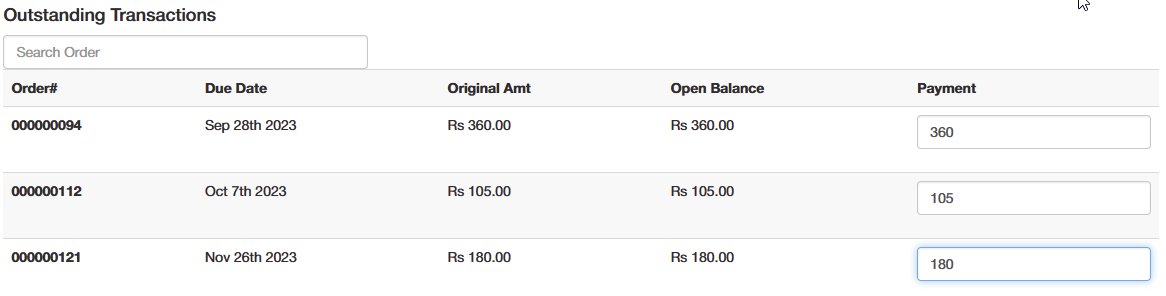
4. Update the Balance

Click the update button to record the payment; the customer's credit balance will automatically adjust to reflect the new amount.
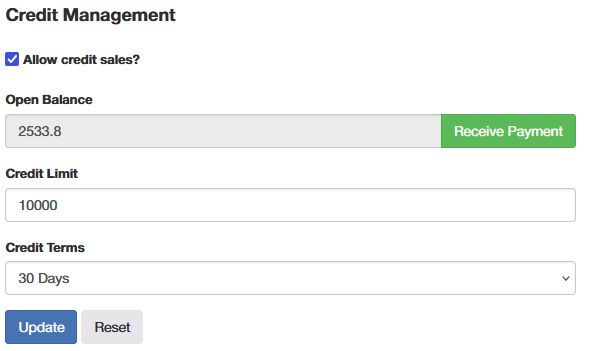
Important Tips
- Centralized Credit Management: Receiving payments can only be done from the Back Office, not on the POS, to ensure proper centralized management and control over customer credit balances.
- Audit Trail and Record Integrity: Maintain accurate records of all payments received against credit balances for audit purposes. The outstanding balance list will reflect payments, ensuring transparency and accuracy in financial records.
- Up-to-Date Financial Tracking: Once a transaction is paid in full, it will no longer appear in the outstanding list, helping maintain an updated view of unpaid transactions and minimizing confusion or discrepancies.